PotPlayer subtitles showing weird characters? Stop the guessing
Updated October 29, 2026
PotPlayer plays almost anything, but its subtitles can still come out as Café, Caf? or a row of boxes. The cause is nearly always the same: PotPlayer has to guess the encoding of the subtitle file, and sometimes it guesses wrong. When the letters are right but shown as boxes, the font is the problem instead.
Why PotPlayer guesses
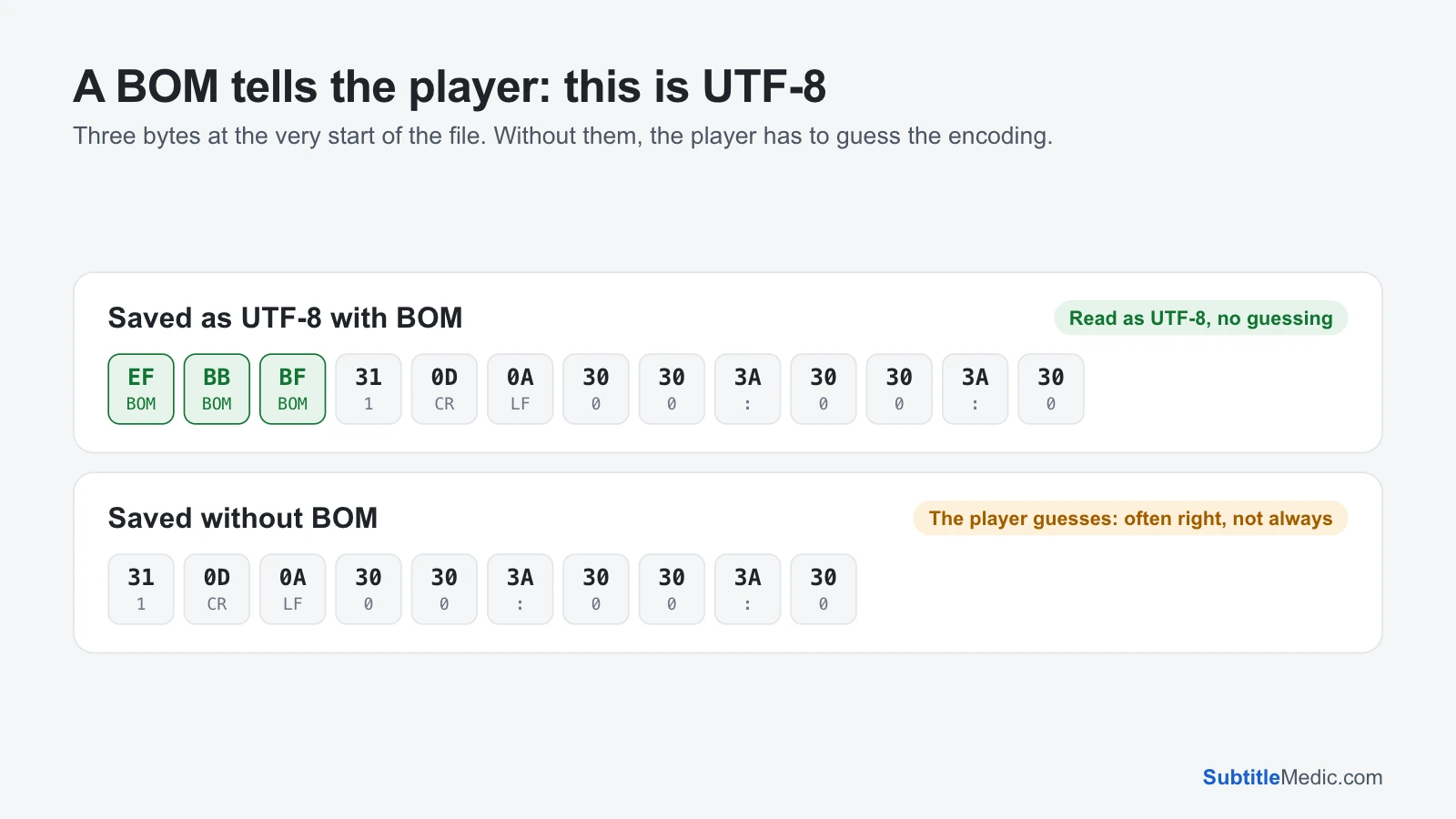
A subtitle file is plain text. Nothing in the text says which encoding it was saved in, unless the file starts with a BOM, a three-byte mark that means “this is UTF-8”.
 Open full size (new tab)
Without a BOM, PotPlayer looks at the bytes and picks the most likely encoding. That works well on long files in one language. It goes wrong on short files, on files that are mostly plain English letters with a few accents, and on old files saved in a regional Windows code page: Windows-1252 for Western Europe, Windows-1250 for Central Europe, Windows-1251 for Cyrillic, Windows-1258 for Vietnamese.
What the symbols mean
é,è,đ: a UTF-8 file read as a Western code page, or a file converted twice.?or�: an old code page file read as UTF-8.- Cyrillic or Greek letters inside French or Polish words: the wrong regional code page.
- Empty boxes
□with everything else right: the font lacks those letters.
Fix 1: set the subtitle encoding in PotPlayer
- Press F5 to open the preferences.
- Go to the Subtitles section and find the setting for the default language or character set of subtitles. The exact name differs between versions.
- Pick the encoding of your file, such as Western European, Central European, Cyrillic or Vietnamese.
- Reopen the video, so the subtitle is read again.
This override has two limits. It applies to every subtitle without a BOM, so files in other languages may break. And PotPlayer has one choice for all tracks: if you show two subtitles at once in different languages, they can’t each have their own encoding.
Fix 2: save the file as UTF-8 with a BOM
The fix that ends the guessing is to save the file as UTF-8 and mark it with a BOM.
- Open Fix Subtitle Encoding and drop the subtitle in. It detects which encoding the file was written in and shows the decoded text, with accented letters highlighted. If two readings are close, it shows both; pick the one that reads right.
- Leave Repair damaged letters on if the file has
é-style damage written into it. - Tick Add a BOM for older TVs and players.
- Download the file and replace the old one next to the video, with the same name.
- If you changed the subtitle encoding in PotPlayer, set it back to its default.
PotPlayer now reads the file as UTF-8 without guessing, and so do VLC, MPC-HC, Kodi and most TVs. The file is processed in your browser and never uploaded.
Empty boxes: choose another font
If the preview in the tool shows the right letters but PotPlayer shows boxes, the font lacks them. In the preferences, under Subtitles, open the font settings and choose a font that covers your language, such as Arial or a Noto font. Styled ASS subtitles set their own fonts; ASS to SRT makes them plain text in your chosen font.
When the settings seem to do nothing
Another subtitle filter is drawing the text. Codec packs sometimes install their own subtitle filter, which then renders instead of PotPlayer and ignores its settings. Disable outside subtitle filters in PotPlayer’s filter settings, or uninstall the pack, and test again.
Codes appear on screen, such as {\an8} or <font color="#ffff00">. Remove Formatting from Subtitles strips them and can keep italics.
Only one file is broken. Fix that file; there is no need to change any setting that affects all the others.
The same advice works for other Windows players: see MPC-HC subtitles showing weird characters and VLC subtitles showing weird characters.