Subtitle reading speed, in characters per second
Updated October 24, 2026
A subtitle can be perfectly timed to the voice and still fail: if it holds too many words for the time it is on screen, viewers don’t finish reading it before it disappears. They miss the end of the line, or they read and miss the picture.
Subtitlers measure this with one number, characters per second (CPS). This guide explains how it is counted, the limits professional guidelines use, and how to fix a line that goes by too fast.
How characters per second is counted
Take the text a line shows, count its characters, and divide by the seconds it stays on screen:
CPS = characters shown ÷ seconds on screen
- Letters, digits, spaces and punctuation count. They all take time to read, or at least to skip.
- Line breaks don’t count. A line split over two rows reads the same as one.
- Formatting tags don’t count.
<i>and</i>are not shown, so they are not read.
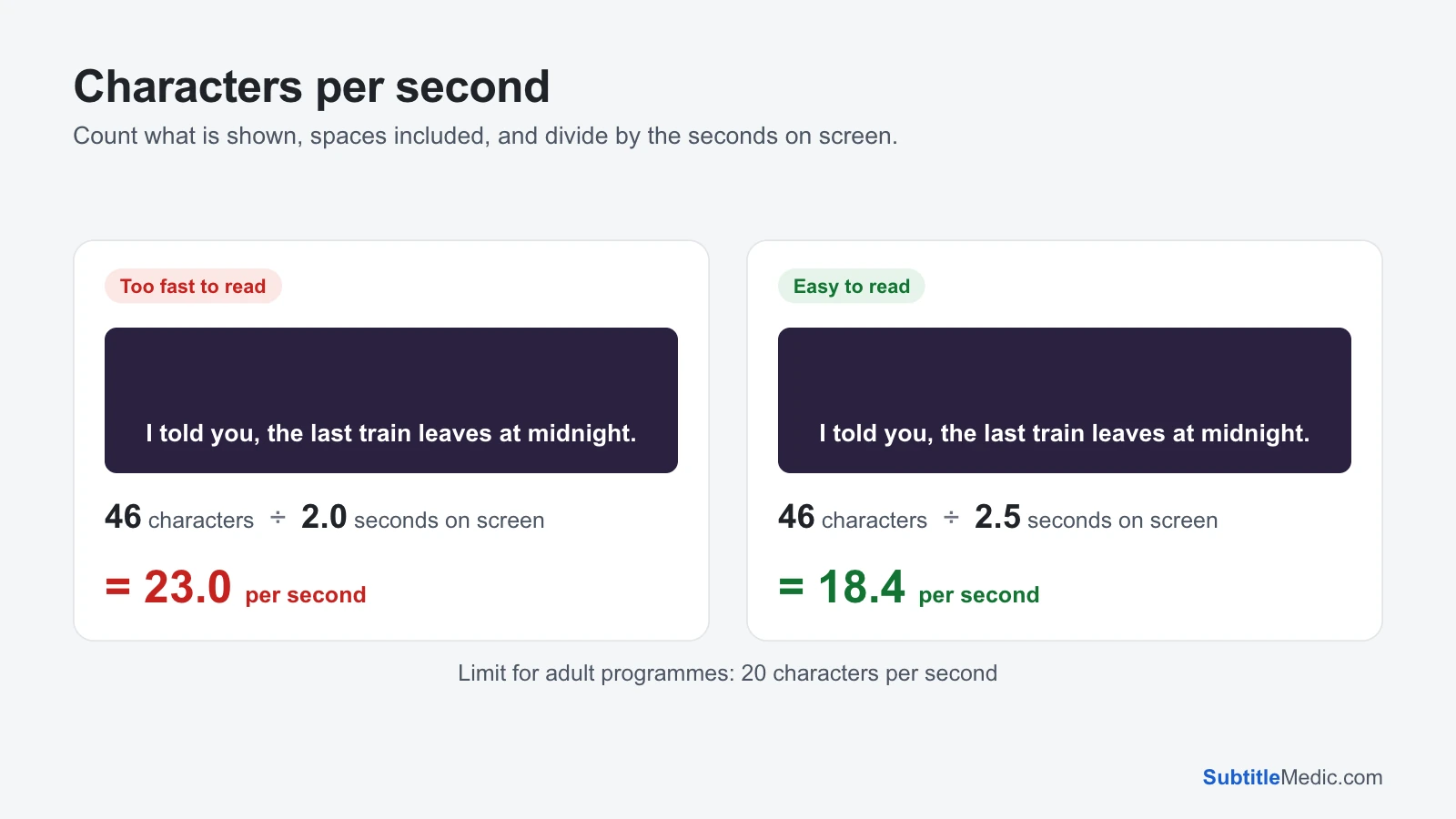
For example, I told you, the last train leaves at midnight. is 46 characters. Shown for 2 seconds, that is 23 characters per second, too fast for most viewers. Shown for 2.5 seconds, it drops to 18.4, which most people read comfortably.
 Open full size (new tab)
How fast is too fast?
There is no single rule, but streaming services publish their limits, and they are a good guide:
- Netflix, English: up to 20 characters per second for adult programmes and 17 for children’s programmes, with at most 42 characters per line.
- Netflix, many other languages: lower. Romanian, Slovak, Croatian and Indonesian, for example, allow 17 for adults and 13 for children. Korean is 12 and Chinese 9, because each character carries more meaning.
Each language has its own style guide, and the one for your language is the authority. As a rule of thumb for languages written in the Latin alphabet: under about 17 is comfortable, around 20 is the upper limit for adults, and above that more and more viewers fall behind.
Lines with very little text have the opposite problem: a one-word line still needs time to be noticed. Guidelines also set a minimum time on screen, usually close to one second, even when the word count would allow less.
Why lines end up too fast
- Translation. The same sentence is often longer in the target language than in the original, while the speech, and so the time, stays the same.
- Fast dialogue. Arguments and comedy pack many words into a few seconds. Transcribing every word leaves no time to read them.
- Automatic subtitles. Speech-to-text writes down everything said, including repeats and filler words, and times each line to the voice alone.
- Retiming. Shifting or stretching a file, or cutting a line’s end short to stop an overlap, can take time away from the text.
Three ways to fix a line that is too fast
1. Say it in fewer words. This is what professional subtitlers do first. Drop filler (“well”, “you know”, “I mean”), repeats and names the viewer can already see. I told you, the last train leaves at midnight becomes The last train leaves at midnight (34 characters, 17 per second over the same 2 seconds), and nothing that matters is lost.
2. Give it more time. If there is a gap before the next line, move the end later. A subtitle may stay a little after the speech stops; most guidelines only ask that it leaves before the next one starts and doesn’t run across a scene cut. Starting a few frames earlier also helps, as long as the line doesn’t appear before the speaker opens their mouth.
3. Split it in two. A long sentence spoken over a long stretch can become two subtitles, each timed to its half of the speech. Each half then has fewer characters for roughly the same time per word, and the break falls where the speaker pauses.
Find every fast line in a file
Checking line by line with a calculator is not realistic for a film with a thousand subtitles. The Subtitle Editor does it for you:
- Open your .srt, .vtt, .ass, .sbv or .sub file in it.
- Every line over 20 characters per second is marked Too fast to read, and the summary counts them.
- Tick Only lines with problems to list only those lines, along with any that overlap the next one, never show or are empty.
- Shorten the text or move the end, and the mark disappears as soon as the line is readable. Open your video next to the file to check each change.
The editor uses the 20-per-second limit for adult programmes. For children’s content, or a language with a lower limit, aim further below it.
If you have never edited a subtitle file before, How to edit an SRT file explains the format and the mistakes to avoid. When every line is simply early or late, Shift Subtitle Timing moves them all at once, and Subtitle Cleaner removes sound descriptions such as [door slams] that take up reading time in subtitles not made for deaf viewers.